
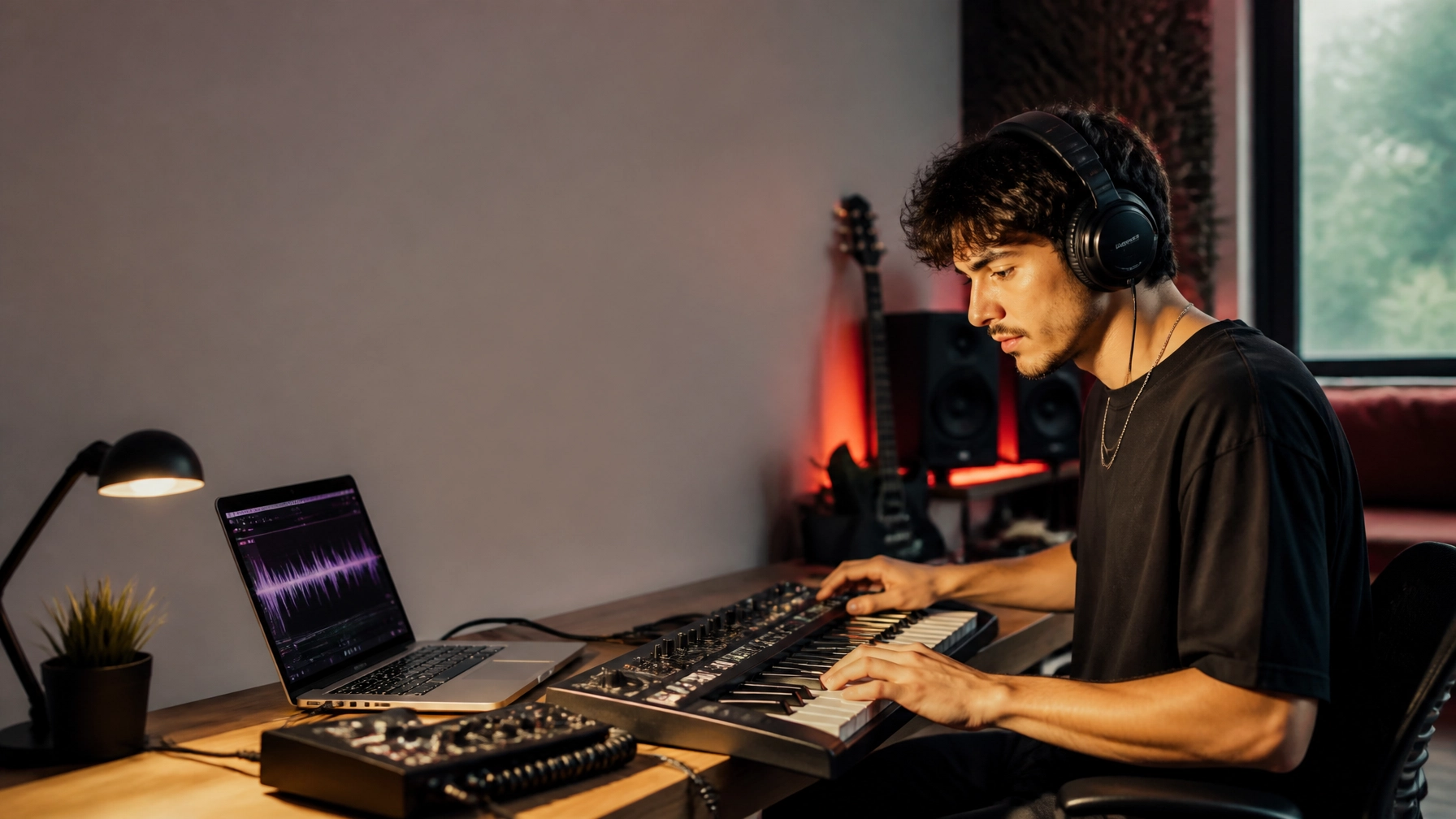
There is a new instrument in the studio, and it does not come with strings, keys, or drum pads. It lives inside your laptop, your digital audio workstation, and sometimes your phone. Artificial intelligence can suggest chords, separate stems, clean vocals, generate harmonies, master a track, and even help create promotional videos.
For an emerging artist, that can feel exciting: and a little unsettling.
You may wonder whether AI will help you create more music or make your work sound less personal. You may worry about copyright, voice cloning, or whether listeners will value a song made with digital assistance. Those are fair questions. But the answer is not simply that AI is either a friend or a foe.
The real question is: Who is leading the creative process?
When you use AI as an assistant rather than a replacement for your imagination, it can give independent artists access to tools that once required expensive studios, large teams, and industry connections. Used carelessly, however, it can blur your identity, create legal complications, and encourage you to release music before it has truly become yours.
Where AI Can Help Emerging Artists
The biggest advantage of AI is not that it can make a song instantly. It is that it can help you move past creative and technical obstacles.
1. Turning a rough idea into a workable demo
Every artist knows the feeling of having a melody in their head but not knowing how to develop it. AI-assisted music tools can help sketch chord progressions, drum patterns, arrangements, and references.
That does not mean you need to accept the first idea a tool produces. Think of it like a writing partner who throws possibilities onto the page. You decide what stays, what goes, and what needs to be transformed.
A generated demo can help you:
- Test the mood of a song before booking studio time
- Explore a new tempo or arrangement
- Build a reference track for a producer
- Hear how a chorus might feel with additional instrumentation
- Break through writer’s block
For a singer-songwriter, producer, rapper, or electronic artist working alone, that first rough sketch can be valuable. It gives you something to react to: and sometimes reacting against an idea is the fastest way to discover your own.
2. Making professional production more accessible
Many independent artists are working with limited budgets. You may be recording vocals in a bedroom, mixing on headphones, or producing between shifts at another job. AI-assisted tools can help improve the technical side of your work without requiring a full professional setup.
Stem-separation tools can isolate vocals, drums, bass, and instruments from a finished track. This can be useful for remixing, rehearsing, creating live backing tracks, or studying how a production is built.
AI-assisted mastering platforms can also offer a fast starting point for demos and singles. Services such as LANDR’s online mastering tools are designed to help artists prepare tracks for release, while giving them a way to compare different sonic approaches.
The important word is starting point. Automated processing may suggest a useful direction, but your ears still matter. A master that sounds loud is not automatically a master that sounds emotional, balanced, or right for your song.

3. Supporting vocal production
AI vocal tools can be helpful when used with permission and intention. They can assist with harmonies, guide vocals, pitch correction, vocal cleanup, and early demos. Some platforms also offer licensed voice libraries for creators who need a specific vocal texture without hiring a session singer for every experiment.
For example, Kits AI describes its vocal models as ethically licensed and offers tools for vocal transformation, harmony creation, stem splitting, and vocal enhancement. Its model library is an example of an approach that places consent and artist participation at the center.
For emerging artists, these tools may help you:
- Build guide vocals before a final recording
- Test harmonies and background parts
- Create demos in a different vocal range
- Clean up noise or room reflections
- Develop ideas while traveling or away from a studio
But your voice is more than a pitch. It is breath, phrasing, accent, imperfection, emotion, and lived experience. If AI removes every unusual detail, it may also remove the qualities that make you recognizable.
When AI Starts Hurting the Creative Process
The danger is not that AI makes mistakes. Human artists make mistakes all the time. The danger is allowing convenience to replace decision-making.
Your sound can become generic
Generative tools are often good at producing something that feels familiar. That can be useful when you need a reference, but familiarity is not the same as originality.
If you rely on generated ideas without reshaping them, your music may begin to sound like a collection of existing trends rather than a clear expression of who you are. This is especially risky for new artists who are still developing their identity.
Before using an AI-generated part, ask:
- Does this sound like me?
- Would I make this choice without the tool?
- What personal detail can I add?
- Can I change the rhythm, lyrics, texture, or arrangement?
- Is this helping me say something: or simply helping me finish?
The strongest use of AI often involves substantial human editing. Change the structure. Rewrite the lyrics. Record your own instruments. Replace the generated chorus. Add a field recording from your neighborhood. Make the track carry evidence of your life.
You may lose the learning process
There is value in struggling through production. Learning why a vocal sounds muddy, how compression changes a performance, or why a chorus needs contrast will make you a stronger artist and entrepreneur.
If an automated tool fixes every issue before you understand it, you may save time today but lose skill tomorrow.
Use AI to explain, suggest, and demonstrate: not to keep you permanently dependent. If a tool recommends an EQ adjustment, learn what it is changing. If it creates a chord progression, study the relationship between the chords. The goal is not only to complete a song. The goal is to become more capable with every song you make.
Copyright, Consent, and Ownership Matter
AI music technology is developing faster than many artists can keep up with, but responsibility still belongs to the creator.
In the United States, the U.S. Copyright Office’s guidance on works containing AI-generated material emphasizes the importance of human creativity. A work may contain AI-assisted material and still receive protection for the human-authored portions, but purely machine-generated material does not automatically receive the same protection as original human expression.
That makes documentation a smart habit. Keep track of:
- Which parts of a song you wrote and recorded
- What AI tools you used
- The date and terms under which you used them
- Whether the tool permits commercial distribution
- Whether attribution or disclosure is required
- Which vocals, samples, and recordings you had permission to use
Always read the terms before releasing a track commercially. “Free to create” does not always mean “free to distribute, monetize, or register.”
Voice cloning requires even more care. Do not clone another artist’s voice without explicit permission. Avoid marketing a synthetic performance in a way that suggests a famous artist participated when they did not. A recognizable voice can function as a person’s identity, and using it without consent can create ethical, contractual, and legal problems.
If you want to experiment with AI vocals, choose systems that clearly explain how voices are sourced and licensed. Consent should not be an afterthought.

A Human-Led AI Workflow for Your Next Release
You do not need to choose between traditional artistry and new technology. A balanced workflow might look like this:
Step 1: Start with your own idea
Write the lyric, hum the melody, record a rough guitar part, or describe the story you want to tell. Begin with your creative point of view before asking a tool to generate anything.
Step 2: Use AI for possibilities
Generate a few arrangement ideas, drum patterns, harmonies, or production references. Do not treat the first result as the final answer. Treat it as raw material.
Step 3: Make meaningful creative decisions
Rewrite, rearrange, record, edit, and personalize. Your contribution should be more than choosing a download button. Make the song yours through structure, performance, lyrics, sound design, and emotional direction.
Step 4: Use assistive tools for cleanup
AI can help with noise removal, stem separation, pitch correction, mixing suggestions, and mastering. Listen critically and compare the processed version with the original. Better is not always louder, brighter, or more polished.
Step 5: Review rights before release
Confirm that every sample, voice, beat, and AI-generated element can be used in the way you intend. Save the relevant license information with your project files.
Step 6: Be honest with your audience
You do not need to turn every social post into a technical explanation, but transparency builds trust. If AI played a major role in the vocals, composition, or visuals, consider explaining how you used it. Fans are often more interested in your creative choices than in whether your process was perfectly traditional.
AI Can Support Your Artist Business, Too
The studio is only one part of an independent music career. AI can also help with release planning, social captions, lyric-video concepts, audience research, email drafts, and content calendars.
Used thoughtfully, those tools can give you more time to write, rehearse, perform, and connect with listeners. They can also help a small creative business operate with greater consistency.
But do not automate the relationship at the heart of your career. Fans want to hear your story, see your personality, and feel that there is a real person behind the music. A perfectly scheduled campaign cannot replace a genuine conversation after a show or a thoughtful message to someone who supported your first release.
The same principle applies to artwork and music videos: use technology to expand your visual world, not to hide the fact that you have one.
So, Friend or Foe?
AI is a friend when it helps you experiment, learn, finish strong, and compete with better-funded artists without sacrificing your voice.
It becomes a foe when it encourages imitation, removes your creative decisions, hides unclear ownership, or replaces the human connection that makes music matter.
Emerging artists do not need to fear every new tool. They need a creative policy of their own:
Use AI to accelerate your process, but never outsource your identity.
Let the technology handle repetitive tasks. Let it offer unexpected ideas. Let it help you hear possibilities that were difficult to produce alone. Then bring your experiences, choices, imperfections, and courage back into the track.
The future will not belong only to artists who use AI. It will belong to artists who know what technology cannot provide: a point of view, a reason to speak, and a story only they can tell.
For more inspiration, artist features, and conversations about the evolving creative economy, explore Digital Buzz Now.